How To Add Your Profile Photo on Orissa Forum
Posted: Aug 25th, '08, 21:19
Now you can easily add your profile photo on Orissa Forum.
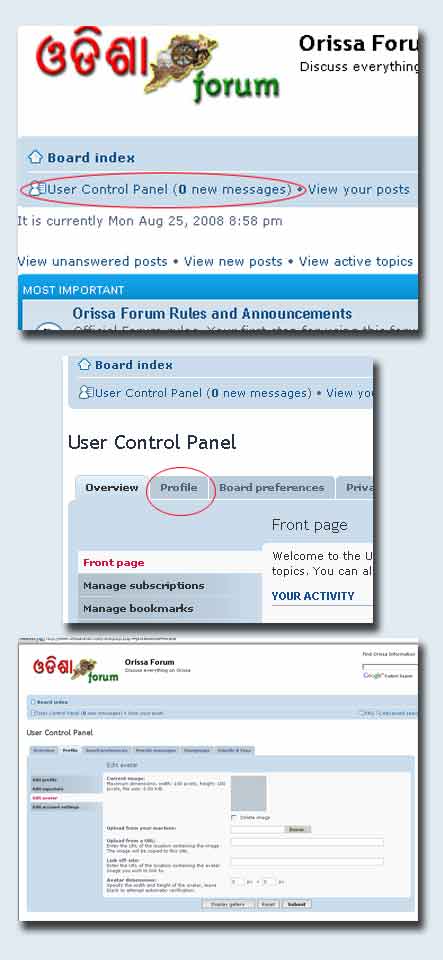
Follow the following steps:
Enjoy Your Stay!
Follow the following steps:
- Click on "User Control Panel" on top left.
- Now, click on "Profile" tab.
- On left hand side, click "Edit Avatar"
- Then you can choose to use a photo form internet or upload a photo from your computer
Enjoy Your Stay!